Langkahnya sebagai berikut:
- Langkah pertama jalankan Script update Office 365 by Administrator
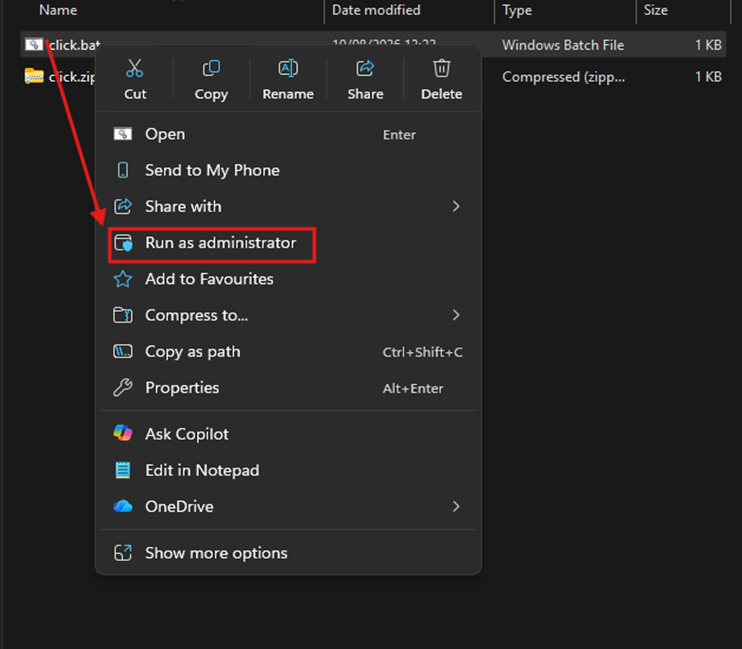
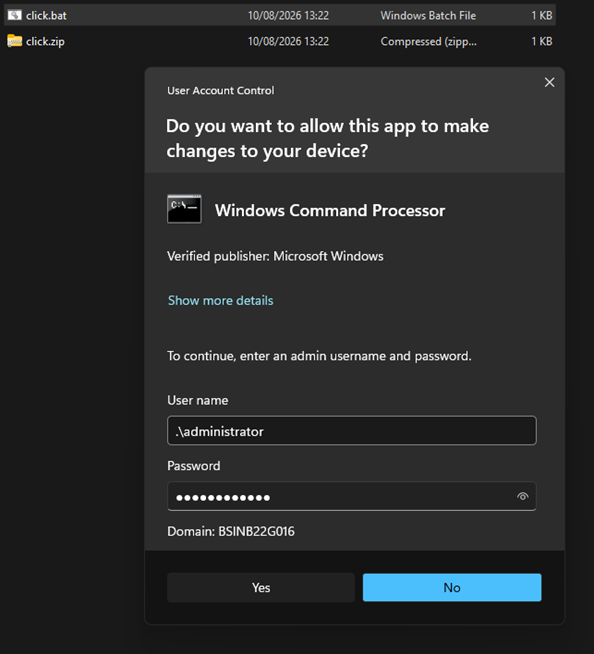
2. Langkah kedua jalan aplikasi yang bagian dari office 365, contohnya seperti Microsoft Word.
Setelah itu pilih atau klik file pada halam home.
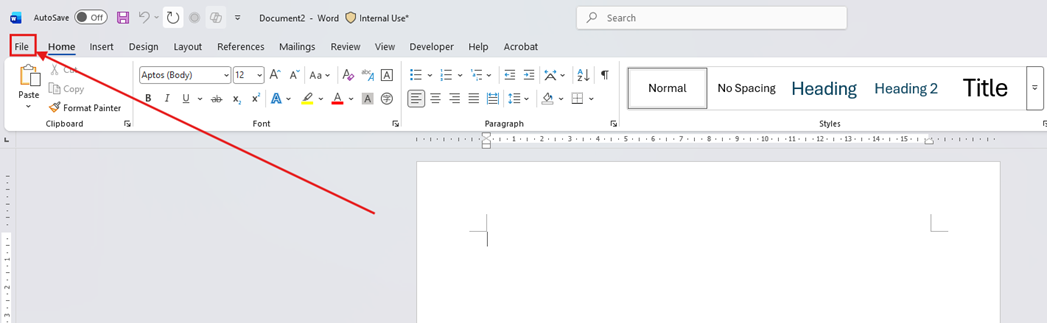
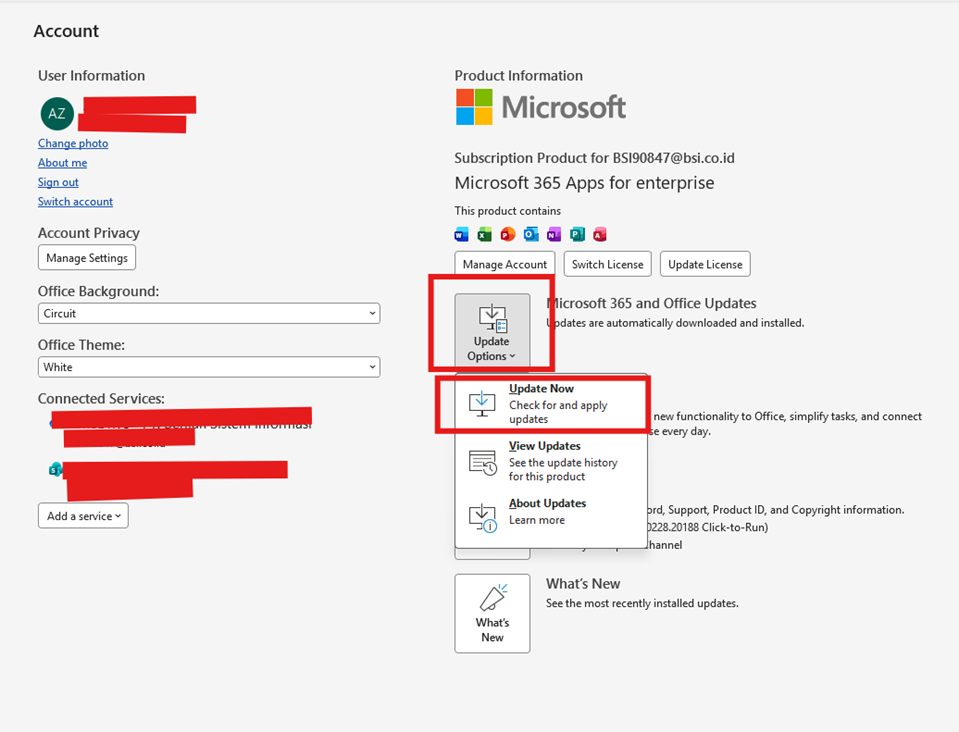
3. Langkah ketiga pada halam file pilih menu account.
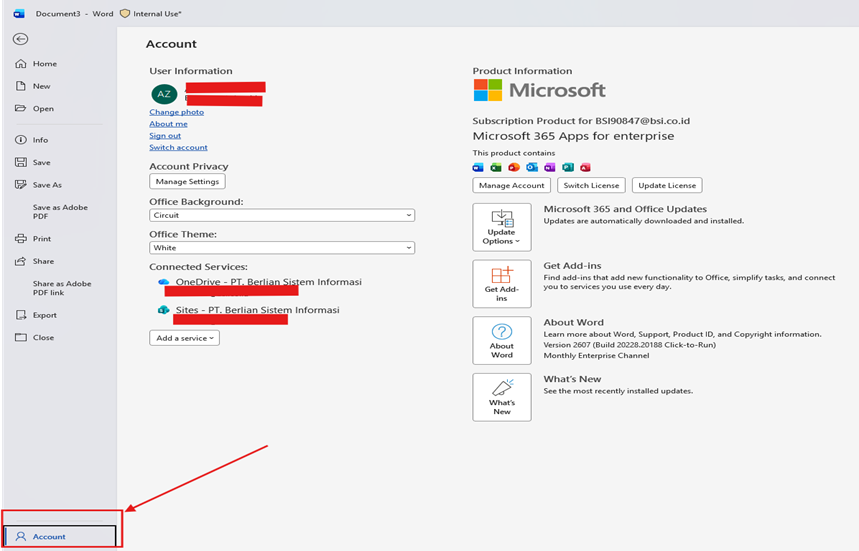
4. Langkah keempat pada halaman account pilih menu update option & klik update now untuk memulai update Office 365.
Was this article helpful?
That’s Great!
Thank you for your feedback
Sorry! We couldn't be helpful
Thank you for your feedback
Feedback sent
We appreciate your effort and will try to fix the article